
ORCID Registration Process-Guide
2026-07-16
ORCID Registration Guidelines for Authors To further enhance the copyright and intellectual property protection capabilities and international influence of authors' research achievements (papers), this journal has been encouraging first authors and corresponding authors to register, use, and provide their ORCIDs since 2022 for inclusion in published papers.
ORCID (Open Researcher and Contributor ID) is a unique identifier that records all your academic research activities, including publications, datasets, affiliations with research institutions, and funding. Currently, ORCID supporters include all major scientific publishers such as Elsevier, Wiley, Nature, and Thomsen Reuters. ORCID is a non-profit organization; individuals can register for free and create, edit, and maintain their ORCID identifiers and record their academic research activities free of charge by logging into its official website (https://orcid.org/). If you have already applied for an ORCID, please fill in your ORCID during registration, or log in to the submission system after application and complete your ORCID in your personal information. This is so we can mark your application during publication; please do not apply for an ORCID repeatedly.
If you have not yet registered for an ORCID, please refer to the following registration process:
ORCID Registration Process:
1) Log in to the ORCID official website https://orcid.org
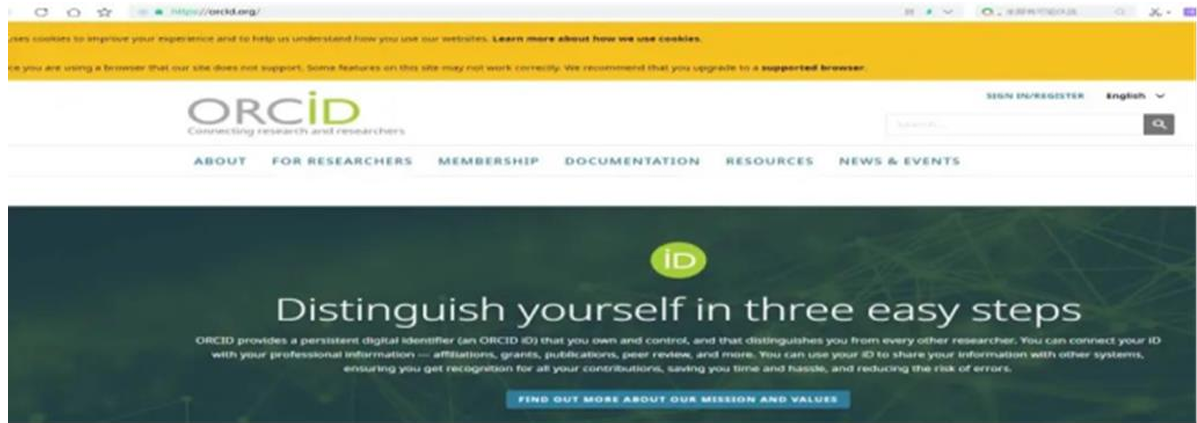 2) Click the arrow in the image below to select your language.
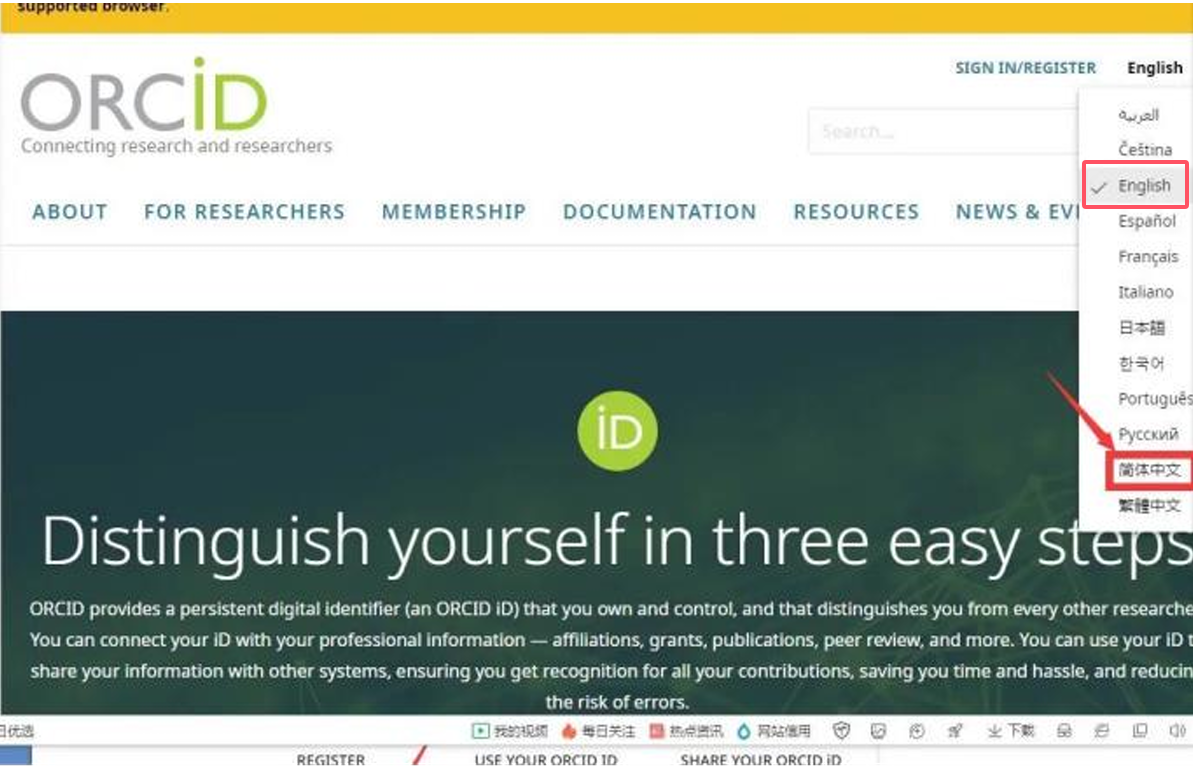 3) Click the "Register Now" link in the image below. https://orcid.org/register
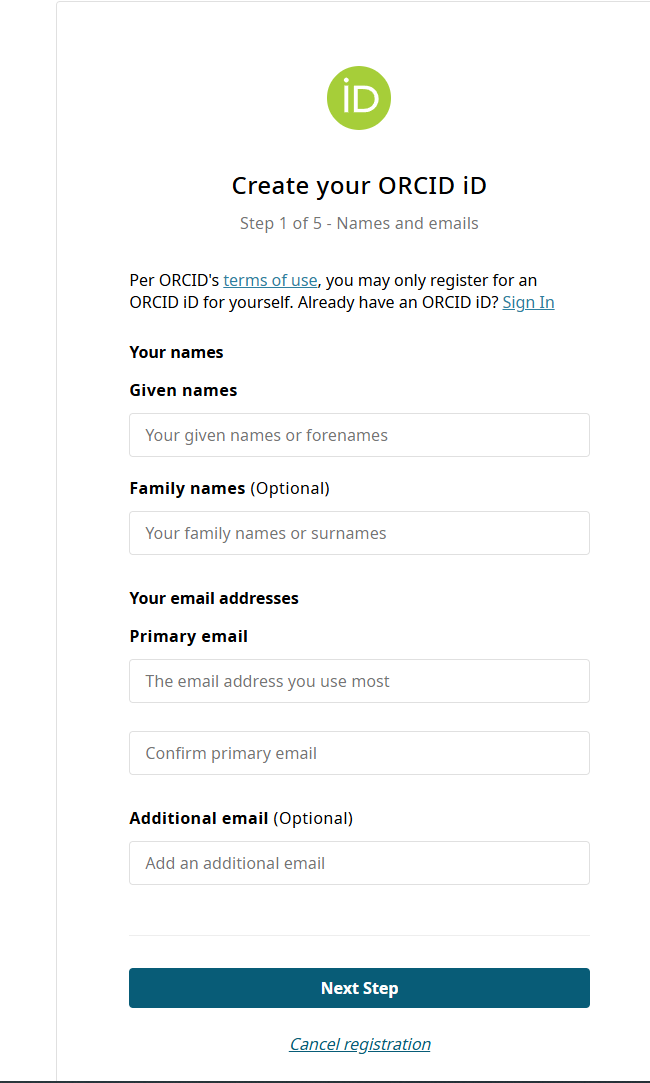 4) Fill in your personal information, etc.
5) After filling in the information, please verify it and choose to return to log in or continue registering as needed.
6) Set your login password.
7) Set visibility. (Visible to everyone)
8) Activate your registered email address. (Check the email in the provided email address and click the activation link.)
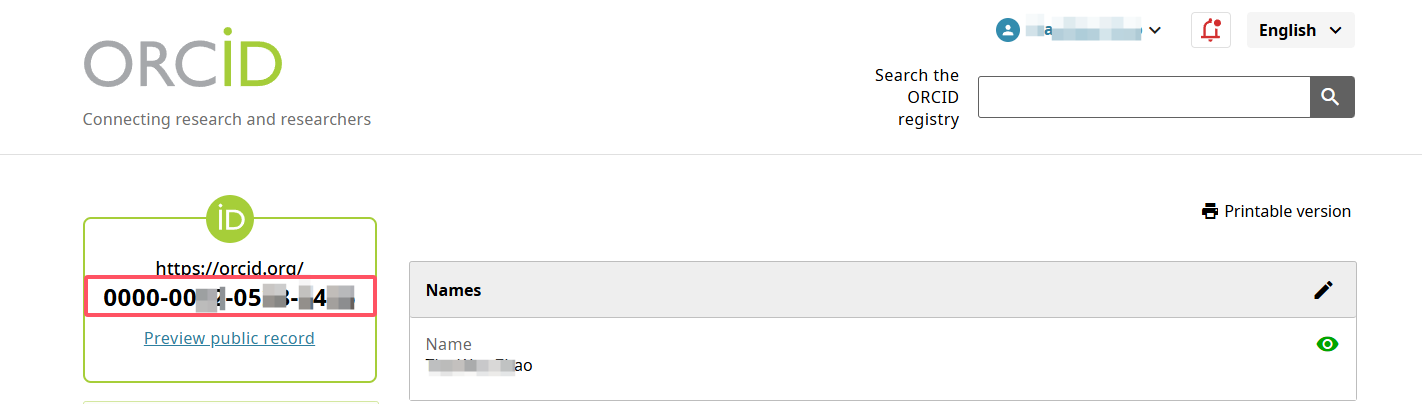
9) Successfully obtain your ORCID. (The 16-digit number is the ORCID ID.)
4) Fill in your personal information, etc.
5) After filling in the information, please verify it and choose to return to log in or continue registering as needed.
6) Set your login password.
7) Set visibility. (Visible to everyone)
8) Activate your registered email address. (Check the email in the provided email address and click the activation link.)
9) Successfully obtain your ORCID. (The 16-digit number is the ORCID ID.)
2) Click the arrow in the image below to select your language.
3) Click the "Register Now" link in the image below. https://orcid.org/register
4) Fill in your personal information, etc.
5) After filling in the information, please verify it and choose to return to log in or continue registering as needed.
6) Set your login password.
7) Set visibility. (Visible to everyone)
8) Activate your registered email address. (Check the email in the provided email address and click the activation link.)
9) Successfully obtain your ORCID. (The 16-digit number is the ORCID ID.)